Blog

  • Best PS4 Split Screen Racing Games

    Best PS4 Split Screen Racing Games

    Split screen games have gained lots of fame in the gaming community, as players have grown interests in dividing game graphics that would allow simultaneous activities at the same time.

    Also, these games are so awesome because of their multiplayer modes, allowing more than one player at a time.

    Online modes are also available, where players can race with other players all over the world. If you’re looking for split screen racing games, you’re in the right place.

    Best 6 Car Racing Games for PS4 Multiplayer Split-Screen in 2022

    1. Track Mania Turbo
    2. World Racing Championship 9
    3. GT Sports
    4. Horizon Chase Turbo
    5. Dirt 5
    6. Beach Buggy Racing 2

    There are many split screen games that are available on PS4 but we have picked the best six (6). Check out the reviews of these exciting games below;

    1. Best Ps4 Arcade Racer: TrackMania Turbo

    TrackMania Turbo ps4 game

    A racing multiplayer split screen game, Trackmania Turbo is a quick, harried and multicoloured game with a very exciting gameplay. It was designed by Francois Alaux and published by Ubisoft. This game is serried, fun and it concentrates more on speed and stunts.

    It has a rating of 8.5/10. Players can race on over 200 tracks across four locations which are Valley down and dirty, Canyon grand drift, Rollercoaster lagoon and International lagoon.

    The game is single-player and multiplayer based and it was the first racing game for the consoles PlayStation 4 and Xbox One with a gameplay of split screen multiplayer mode that makes room for up to four players.

    Another interesting thing about this game is the return of track editor, which allows players to create their own racetracks and they can share their self-built race tracks with other players.

    The game is frantic and can be at times frustrating, because of the turbo speed. You may have to try again and again in order to win. But apart from that, you can split your screen in the double driver mode. You want to have some fun racing with your friend, engage in the multiplayer mode and control the same car.
    Awesome right?

    2. World Racing Championship 9

    World Racing Championship 9 ps4 split screen game

    WRC 9, known by some as Fia World Racing Championship is developed by Kylotonn and published by Nacon. It was released on the 3rd of September, 2020.

    Available on PlayStation 4, PlayStation 5, Nintendo Switch and Xbox One, the game consists of three different location points, adding the Japan rally, New Zealand rally and the Safari rally.
    Players can select crew teams from WRC, WRC-2, and even WRC-3. It has great visual idealistic gameplay and more contents that ever.

    A whole 35 new special stages, creation of personal custom championships and completely redesigned engine sounds that will definitely blow your mind.

    Designed for the community, there is a club system where players can compete online with the world. This game has beautiful rewards for composed, patient but committed player.

    However, WRC is different from other racing games because of it is more methodological.
    The game examines how players can adapt to immediate slowdowns and turns on off-road tracks. If you ain’t careful, you’ll crash into unexpected dips in the roads and probably fall out.

    Say bye-bye to those days where cars bounce and drift in a frustrating way, handle these cars like your expectations, as they react to environmental elements. You’ll definitely want to make use of those extreme weather trials. Including loads of contents spreading across modes and challenges, you’ll definitely keep returning for more.

    3. GT Sports

    GT Sports ps4 multiplayer split screen

    The ultimate experience of car racing is here, and it’s even more fun on PlayStation 4. Grand Turismo Sports is the thirteenth game in the Grand Turismo series. It is a racing game that was developed by Polyphony Digital and it was published by the Sony Interactive Entertainment.

    This game has single player and multiplayer modes. One of the game’s main concentrations is the competitive online racing that is backed up by the international body governing motorsport.

    The game projected 340 cars and 82 layouts and 29 locations. Some of the cars in GT includes Alpine Vision Gran Turismo, Alfa Romeo MiTo 1.4, Alfa Romeo 4c and so on. Similar to its predecessors, Gran Turismo Sport is a racing game and it includes two game modes: “Sport Mode” and “Arcade Mode.

    Even though the it isn’t bright coloured like other racing games, it looks more realistic and the ambiance of each track is what you would expect from great as ever.
    The handling system is pretty great too, it has surpassed audio quality and the stellar online mode helps to make the game to be a competitive sin racing. If you are a beginner and you have interest in racing games, try GT Sports. I’m sure you’d love it.

    Best Free Racing Games for Ps4

    4. Horizon Chase Turbo
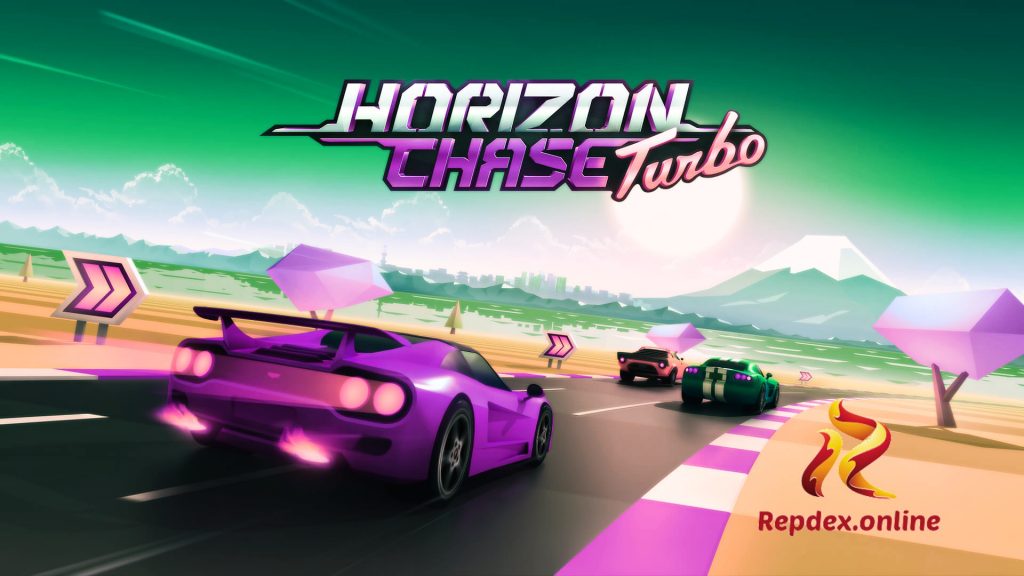
    Horizon Chase Turbo ps4 game

    The horizon chase is a world tour racing game that was developed and published by the Aquiris Game studio. In 2019, Horizon Chase Turbo was released for PlayStation 4, Xbox One and Nintendo Switch. The soundtrack of the game is packed with Nintendocore influences.

    This game gives an interesting challenge to players to finish races on so many tracks around the world. The aim, as in other racing titles is to finish ahead of other players in awesome automotive sprints.

    Races takes place in 109 tracks across different nations, including South Africa, Japan, China, United States Chile. In each nation, there are cities where players can spin their hot wheels. In all, a total of 48 cities to race through and also there are 12 cups to win.

    Gorgeously made retro audio and visual aesthetics, awesome cars and tracks makes the game so fun-filled.

    SEE ALSO: How To Instantly Get Indexed On Google After Posting

    Added to each race are pickups containing fuel refills which is needed to complete the race, nitro boosts for excellent speed and freebies that opens new race tracks.

    The handling of the cars are however affected by weather effect and the type of race track the player is racing on. Horizon Chase Turbo is great racing multiplayer game with fast cars, catchy music and smooth that’ll get you in a craving enjoyable arcade race.

    5. Best Ps4 Rally Racing: Dirt 5

    Best Ps4 Rally Racing Dirt 5

    Dirt 5 is a fun, enlarged and off road racing game. It was developed by Code masters Cheshire and also published by Code masters. This fun game was the last video game that was released by Codemasters when it was an independent company before it was acquired by another company called Electronic arts in February, 2021.

    It was actually released for PlayStation 4 and Xbox One in November 2020 and it has a single player mode and multiplayer mode.

    This game is packed with all actions on the road, as players can race in many locations ranging from Africa, Arizona, Brazil, China, Italy, Greece and many others in events filled with amusements and enjoyable pleasure.

    The game has ice racing, and rallycross as part of the disciplines and other off road vehicles with a garage of cars, from rally icons to GT icons.

    This game provides experience where racers can race across snow, gravel and sand. If you re a fan of rough and rowdy race, Dirt 5 is the game for you.
    The developer made an excellent job in delivering a loud, polychromatic experience for racers. What’s more, the game has cars so cool, you’ll never find a vehicle that has a poor handling, even in the poorest of the rally cars.

    READ THIS: iPhone VS Android (Which is best?) Pros and Cons 2021

    However, if you’re a looking for customization options, you may be a bit discomfited. Car’s handling function is not active even though it allows for changing of car’s colours.
    This isn’t much of a problem though, as environments and weather conditions affects the car’s handling and steering.

    A great game though, and guess what, 12 players can have fun with this trilling game at a time, so you might want to invite yours friends

    6. Beach Buggy Racing 2

    Beach Buggy Racing 2

    A kart racing video game developed by Vector Unit, BBR 2 is a fun packed, fast action 3D racing with pretty cool characters, amazing fast cars, impressive weapons and colourful environment.

    The game play is identical to the previous developed and published Beach Buggy Racing, so get prepared to acquire a collection of over 45 zany power ups like fireball, oil slick, frenzy and many more to use and also avoid as you race your kart to the finish line.

    Players can invent their own personal power up with mind blowing abilities including killer bees. Race and join the league as you compete other players to get to the top. Unlock and build your garage with different cars (over forty of them) from dune buggies to monster trucks to classic cars.

    You can customize your cars with fascinating colors and crazy designs anyhow you like. Pretty cool right?

    This exciting game has a split screen multiplayer mode allowing more than two controllers to be connected at once where you can race alongside characters of other players, and you can even go car-to-car with top ranked players in the tournaments. What’s more, you can enlist a team of unique racers having different special abilities.

    Though to do that, you need to have a good reputation earned from your winnings. For new users who are new to kart games, there is button usage for each power up. And seriously, this is one feature video games should include in their game plays.

    The typical environments are really great and colourful like never before, as you race through race tracks endowed with shortcuts if you can figure them out of course. Have fun with Beach Buggy Racing 2 and while at it, invite a friend for a trilling multiplayer game.

    BEST PS2 EMULATORS FOR IOS

  • Top 10 Best Android Emulators For PC (Windows and Mac) in 2023

    Top 10 Best Android Emulators For PC (Windows and Mac) in 2023

    Many have been in confusion and frustrated about how to move a particular android app to their PC. Some have even asked the question: how can I continue my android games on my computer? Is it even possible?

    Well, it is very possible through the use of android emulators. Don’t worry, we are going to show you how to use the android emulator in this article.

    Android Emulators for PC, Windows, and Mac

    There are various android emulators that have been created to make your android experience easier and better, just that this time you are going to have this experience not on your android phone but on your PC or other computers you have.

            Sweet right? Yeah.

    So, my dear, you don’t have to worry about your gaming experience or other android app fun you’ve been enjoying on your phone.

    You will enjoy them better on your computer when you follow the steps below.

    But first, to some who are still confused about what exactly these things are and how to execute them, let us give you a bit of info on what android emulators are and of course, the pros and cons.

    WHAT ARE ANDROID EMULATORS?

    An android emulator is an ANDROID VIRTUAL DEVICE also known as AVD, that enables us to test normal Android applications on personal computers or laptops by stimulating various android apps, not minding the API levels.

    These android emulators stand for any android device and it creates some kind of a tribune, a platform where android apps can be run and perfectly operated and executed on the computer system.

    Depending on your choice and how you want to use it, android emulators make sure that your android needs are met, and your favorite android applications are added to your IDE (Integrated Development Environment).

    There are so many android emulators that you can use, each one having its own distinct yet similar style and service it renders to the user.

            However, you need to know that emulators are not the same as simulators, even though they may be slightly related and often misinterpreted.

    Emulators are mainly used for testing android apps and devices while simulators are made for testing iOS apps. Both were programmed to save money during the start of the Software Development Life Cycle (SDLC).

    Emulators have the capability to offer basic website analytics and more importantly, app performance.

    Pros of Android Emulators

    • The use of android emulators on computers enables the user to have a long and steady usage at a time.
    • The computer has stronger and faster resources, thereby limiting the gap and delay of some android games.
    • The use of android emulators gives users the chance to access the Android phone features and specs on the computer, which has a bigger screen and better vision.
    • App controls are largely displayed better on the computer.
    • With android emulators, you can use more than one application at a time. You can multitask your apps on your computer.
    • Since the computer system has more battery life than your phone, you can have fun with your games till your hands ache. You can even use the unlimited battery life in your computer system through the android features.
    • There are some apps that you love so much, yet you dare not install on your android phone because of their definition of power, the space they consume, and speed. With the android emulators, your dream can come through on your PC.
    • PCs are not as flexible as smartphones when it comes to mobility. So, the risk of getting smashed, broken, or damaged is close to impossible.

    Cons of Android Emulators.

    •  It is a challenge to model hardware performance nor can you simulate the overall performance.
    • The fact that there are so many emulators makes it a challenge in making choices, as some are not dependable.
    • Some emulators can be slow and cannot be compared with the real device, causing a drawback.
    •  Android emulators don’t have enough disk control.

    Well, that’s just about the pros and cons. As you can see, the pros are more that the cons.

    Android emulators are really great tools, the only thing that exposes their disadvantages is when they start lagging, especially if you’re not with the right ones.

    Apart from the fact that you need this article to know the right ones to pick and use, we have gathered some save-me tips that can help with the cons, thereby giving the emulator a boost in performance.

    • You can utilize the Graphics Processing Unit (GPU), which creates a faster performance when you implement it with the android emulator you want to use. To use the GPU, you need to turn on the GPU emulation. Move to the android SDK folder and run these commands: /emulator @emulatorName -GPU on. Hardware acceleration is a built-in function on most computer systems which makes GPU usage better. If your computer is Intel and AMD supported, you can use
      • Virtual Machine Acceleration. This technology boosts the speed of the android emulator and improves execution.
      • Finally, if you are having some kind of trouble with your android emulator, you should disable the antivirus. This can help to balance the setup and also, save your emulator from lagging.

    These are some alternatives you can follow if you’re having some trouble. Not all emulators are troublesome, you just need to know the right ones. Below, we have gathered 10 android emulators that you can use on your personal computer.

    We have gathered some of the best android emulators for you. These emulators are not the same in functionality, operation, and space consumption. First, we’ll talk about the best ten android emulators. Then we’ll introduce you to other ones. That settled, let’s get right to list them out:

    Top 10 Best Android Emulators for all PC and Windows Devices

    1. LDPlayer
    2. BlueStacks
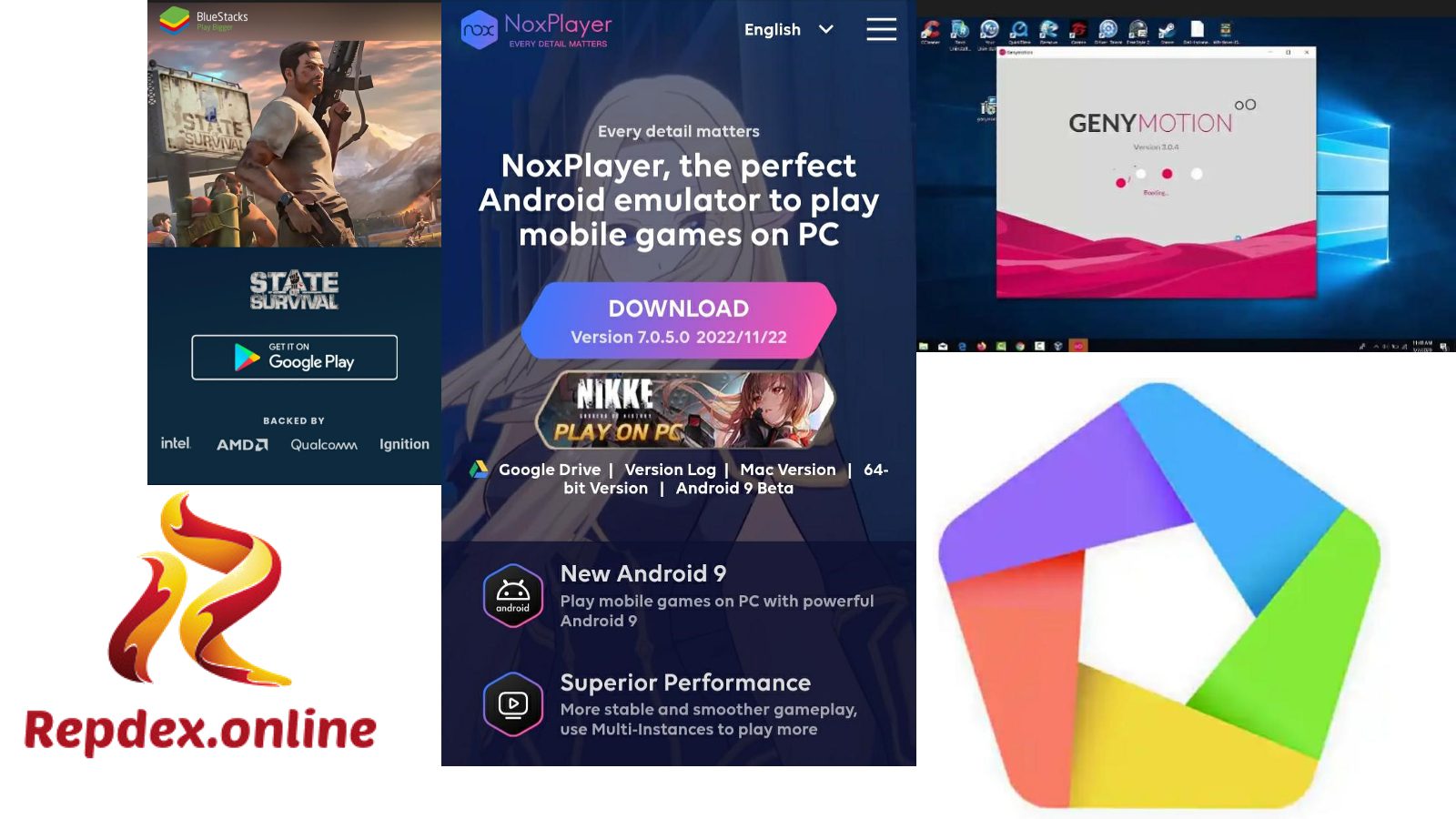
    3. Nox player
    4. Genymotion
    5. MEmu
    6. Leapdroid
    7. Droid4x
    8. Andy
    9. AMIDUOS
    10. Gameloop

    Best Android Emulators for all PC (Windows and Mac) Devices

    Let us all take a good look at the best android emulators for pc and mac below:

    1. LDPlayer

    LD PLAYER android emulator for pc

    The LDPlayer is one of the best android emulators, made specifically for playing games on personal computers. If you looking for an emulator built for stable multitasking specifications, don’t look too far.

    LDPlayer is the choice you need to decide on. Using this emulator allows you the golden opportunity to open two or more windows, and also, have your hands on some cool keyboard controls, and support updates on the latest games.

    It is safe, well recognized, has little few ads, and does not have any spyware or any surreptitious programs.

    Irrespective of the power of these games, LDPlayer can handle them with ease. Get ready to run the Google play store, rotate the screen, and so on.

    The versions of this software can be seen in version 3, version 4, and version 9. This year saw the release of the LD Player 9 and this version can run 64-bit and 32-bit.

    Type LD Player in your browser and it’ll bring you to the download link.  To use this software below is the requirement we recommend so you’ll enjoy the best out of this app.

    LD Player Emulator Requirements for Download

    • CPU: Intel i5 7500 or better. Intel/AMD Dual core processor
    • It requires RAM of 8GB or higher. For lower versions, 2GB RAM/4GB RAM
    • Disk Space: 100GB
    • The Graphics Card: NVIDIA GeForce GTX 750 Ti or better.
    • It supports Windows 7 up and is open-source allowed
    • It works on Windows and android platforms.
    • It has been rated 4.7 out of 5.

    2. BlueStacks

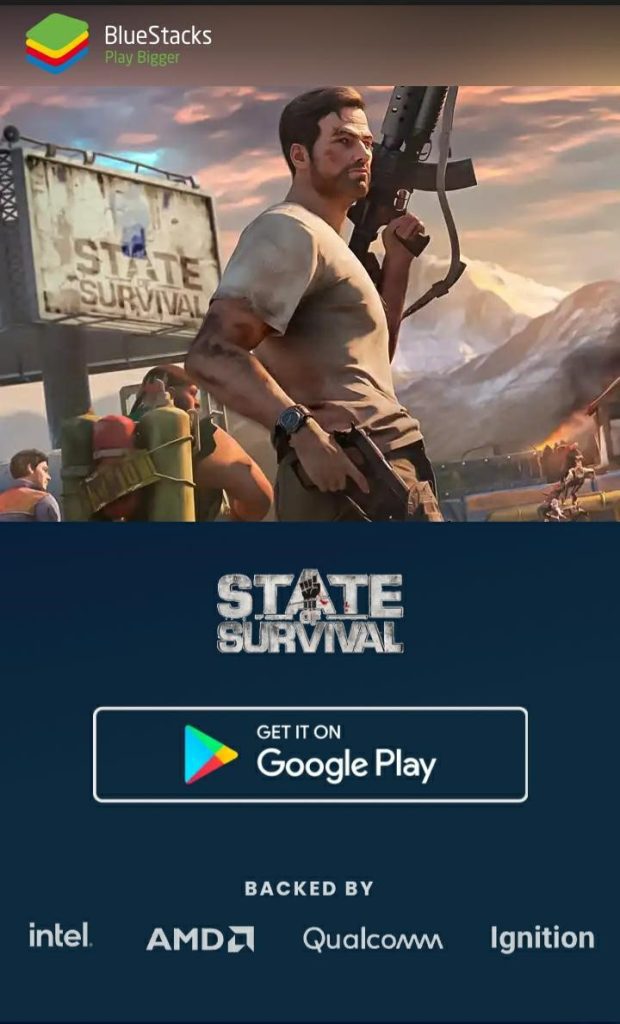
    BLUESTACKS Android emulator for pc

    Founded in 2011 and tailing closely behind the LDPlayer and our number two on the list of ten android emulators you can lean on, we welcome you to the world of BlueStacks.

    Not only can you have a fun-filled experience with this software, but you also have access to so many varieties of games from adventure, action, arcade, puzzle, role-playing games, simulation games, sports, and strategy games.

    Over 70,000 games are been downloaded and played on BlueStacks.

    You do not need any technical know-how before you get the software running, download the latest version BlueStacks 10, and install it on your personal computer or laptop.

    Games like State of Survival, Raid Shadow Legends, Guns of Glory, Idle Heroes, and so on are up for grabs. Type BlueStacks in your browser and it’ll bring you to the download link. To use this below is the requirement:

    BlueStacks Emulator Requirements for Download on PC Devices

    • The CPU: Intel and AMD processor
    • It requires a RAM of 4GB or higher
    • It also works on Android, Windows, and Apple.
    • The Operating system’s lowest is Windows 7.
    • The file size is 465MB.
    • Rating of 4.6 out of 5.

    3. Nox Player

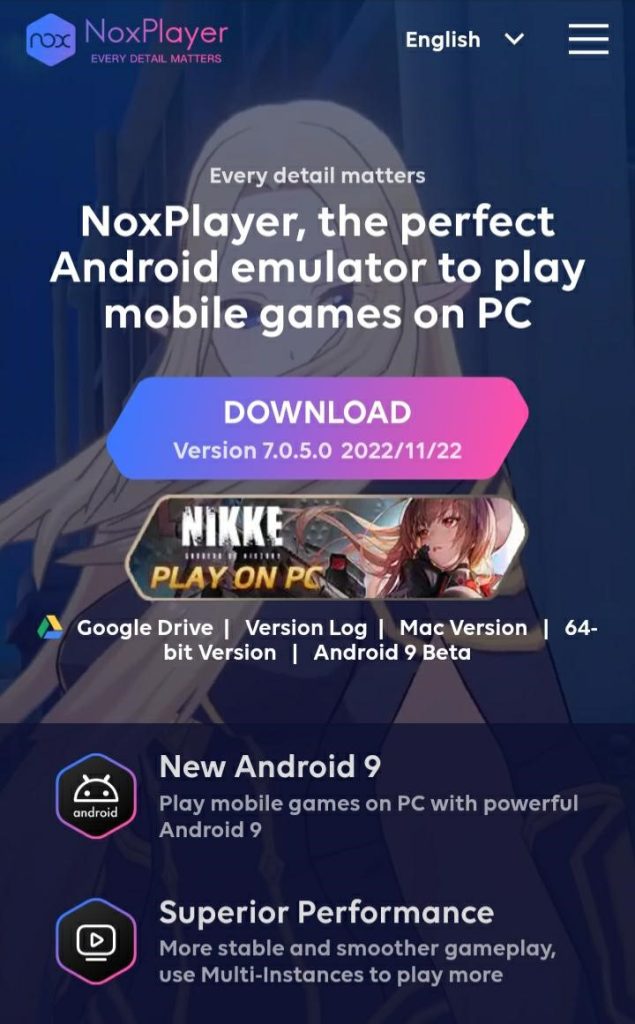
    NOX PLAYER

    Another android emulator perfect for gaming is the Nox player. This software program has a search box where you can type in the mobile game you want to play on your personal computer. The Nox Player is stable, ensures optimized performance and it supports script recording, gamepad, and keyboard controls.

    Type Nox player in your browser and it’ll bring you to the download link.

    The requirements are as follows:

    Nox Player Emulator Requirements for Download on PC Devices

    • Android, Windows Apple MacOs is supported
    • The file size is 310MB
    • The CPU is Intel/AMD Dual core processor
    • It requires 1.5GB RAM minimum, 4GB RAM recommended
    • The Graphics Processing Unit open GL 2.0

    4. Genymotion

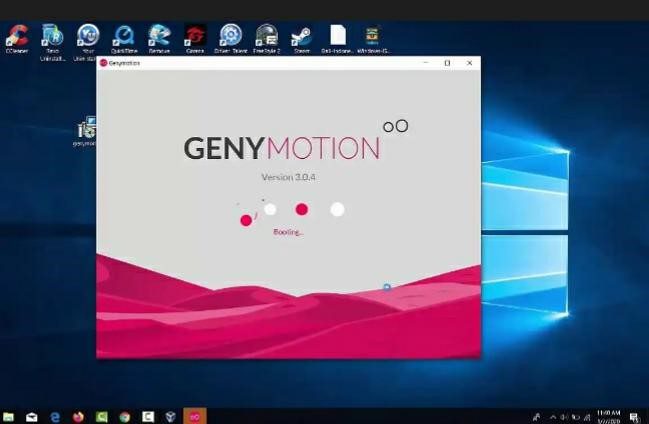
    GenyMotion android emulator for windows

    If you are a Windows user, then GenyMotion is the android emulator for you. This emulator is perfect for first-timers, newbies, amateurs professionals you name it. With this emulator, you have software that brings the complete package to your computer, and with it, many users have enjoyed their favorite android games on their computer system. Why?

    Because the app gives a platform to examine and test apps on different devices not having to own them. It is easy and great for app developers and experts. You will definitely love its advanced functions. Type Genymotion in your browser and it’ll bring you to the download link

    To download this android emulator, here are the requirements:

    GenyMotion Emulator Requirements for Download on PC Devices

    • The least Operating system is Windows 7 and above
    • It requires a minimum RAM of  2GB
    • The memory size is 2GB
    • The CPU is Intel/AMD processor 64-bit
    • It has a file size of 117MB
    • It has Graphics Processing Unit on OpenGL 2.0 and above.

    5. MEmu

    android emulators for pc

    The name might look or sound funny, but not have the power to simulate the Android operating system on personal computers. With MEmu, you can download, install, use and enjoy your applications. With little difference from the normal Android phone, take charge of your game applications by navigating with the mouse, external joysticks or controllers, or the keyboard.

    Looking for an android emulator with really good graphics, video recordings, automation, and controller support, MEmu is the emulator to do a perfect job. Type MEmu in your browser and it’ll bring you to the download link

    Download the latest version of the app on your computer and install it. Open the app and launch the google store, go through the sign-in. Go to the search box and type the name of the game you want to play. Download the game, install it, and boom! The fun never ends.

    Below are the requirements attached:

    MEmu Emulator Requirements for Download on PC Devices

    • The RAM required is 2GB RAM minimum
    • It has a memory of 2GB
    • The file size is 117MB
    • Intel or AMD 64-bit CPU processor
    • The GPU is OpenGL 2.0 up.

    6. Leapdroid

    One of the youngest in terms of age, Leapdroid is an android emulator with golden hair that can not be noticed. Funny right?

    This emulator is gaining popularity fast among other emulators because of its smooth operations and especially its unique feature to play a game with dual accounts. If you’re looking for something new and interestingly exciting, then Leapdroid is the android emulator for you.

    Below are the specification requirements:

    Leapdroid Emulator Requirements for Download on PC Devices

    • The minimum operating system is Windows 7
    • We recommend a 64-bit CPU processor
    • It supports Intel or AMD Dual-core Processor
    • The RAM needed is 2GB RAM
    • The memory size is 2GB
    • The file size is 271MB

    7. Droid4x

    If you have not heard of Droid4x then you are really missing out. Don’t worry, we have you covered to give you what you are missing out on Droid4x. This Android Emulator is an excellent choice for lightweight android emulators for computers. It gives you an edge over others, making you control the game you’re playing on your personal computer using your mobile device. Just imagine this; you playing modern combat 5 on your computer and using your mobile device as the controller. How sweet is that!

    Also, you can give your keyboard a nice look, and customize it in your own way to your taste. How cool is that?

    These are the requirements to download Droid4x:

    Droid4X Emulator Requirements for Download on PC Devices

    • The minimum operating system is Windows 7
    • The RAM required is 2GB, we recommend 3 or 4GB
    •  The GPU needed is OpenGL 2.0
    •  CPU support Intel or AMD Dual Core Processor
    • The memory size is 4GB

    8. Andy

    The next on our list of best android emulators is Andy. What a cute name for an android emulator that gives you more platforms to explore with great android features. Andy had some criticisms and challenges when it was out for the first time, not surprised there. However, with the criticisms, they came out stronger, and now, the emulator is one of the very best that can give you that android experience you desire. Apart from the fact that you enjoy a clean interface, you can also connect via Wi-Fi connection or Bluetooth connection, using your mobile device as a controller. Cool right?

    Download and install the app and you’ll see for yourself how great the app is.

    Below are the requirements:

    Andy Emulator Requirements for Download on PC Devices

    • The Operating System fit for Andy is Windows 7 up
    • The required RAM is 2GB, recommended is 3GB
    • The file size is 871MB
    • The GPU needed OpenGL 2.1
    • CPU support Intel or A Dual Core Processor

    9. AMIDuOS

    Amiduos is, without a doubt among the best android emulators that you can find. This program has a comforting performance and you get the choice of picking since the android emulator is in two versions, the LOLLIPOP version, and the JELLYBEAN version. Both versions are compatible with Windows 64-bit or 32-bit.

    The app is loaded with all you need to have an exquisite user experience with your Android applications on your personal computer. Also, for those that have computer systems or laptops that supports touch screen.

    AMIDuOS is the Android emulator for you, its interface is user-friendly and you can also zoom pinch. Now, let’s go down to the requirements:

    AMIDuOS Emulator Requirements for Download on PC Devices

    • Supports Windows 7 least
    • It has a 2GB of memory
    • The RAM required is a minimum of 2GB; 3GB is recommended.
    • CPU is an Intel x86 processor
    • GPU is OpenGL 3.0 above
    • The file size is 226MB

    10. Gameloop

    Last but not the least, we have Gameloop. You may have heard of Tencent gaming buddy. Yep, that’s Gameloop. This android emulator is famous among gamers and lovers of PUGB mobile games.

    Why not, when the emulator is developer supported? This does not mean that you can not download or play other games on this emulator, other awesome games like the Honkai Impact are available for your download and fun.

    From the looks of the interface and UI, this emulator is specially made for gaming. So you might want to get your hands on other emulators that we have listed for social media stuff.

    The requirements include the following:

    GameLoop Emulator Requirements for Download on PC Devices

    • The minimum operating system is Windows 7
    •  The RAM required is 3GB least
    •  CPU support Intel or AMD Dual Core Processor
    •  GPU is OpenGL 3.0

    That concludes our list of the 10 best android emulators for today. However, that’s not all. Other android emulators include;

    1. Android Studio
    2. ARChon Studio
    3. Bliss Emulator
    4. Phoenix OS Emulator
    5. Remix OS Emulator

    CONCLUSION

    Android emulators bring the thrill of the games on your android phone to your personal computer on a larger screen and with better controls. Play the single mode or the 2-player mode. Invite a friend over and battle. Turn on your network connection and go play with your online competitors.

    However, you need to know that before you choose the android emulator to use, it must support external devices like the external keyboard, mouse, controllers, etc. Also, check the ratings and how active, fast and reliable the support team is, in answering questions and providing solutions to identified problems.

    Download the emulator that is compatible with the specifications of your PC to avoid lagging. If compatible, we’d prefer for you to download the latest version for improved features.

    Most of these android emulators have different versions that have been released over the years. Check them out and see which one best suits your PC power.

  • Best Guide to Open a Domiciliary Account with Zenith Bank

    How to Open Domiciliary Account with Zenith BankGuide to Open a Domiciliary Account with Zenith Bank

    Zenith Bank Domiciliary Account: Learn how to open a domiciliary zenith bank account today with this information below

    How to Open a Domiciliary Account with Zenith Bank

    Zenith Bank domiciliary account is a type of current account which gives full permission for you to that allows you to finance your account with foreign currencies like pounds, euros, or dollars.

    It also gives you the allowance to perform international transactions on the account. 

    Zenith Bank Domiciliary account can be used to send money to another country, as well as receive foreign cash from another state.

       With a Zenith Bank domiciliary account, you are going to open the statement at the zenith bank branch close to where you reside.

    After the application for the domiciliary account, wait for a maximum of 24hrs, and the account number would be sent to your phone number or email.

    These are just the basic steps to follow on opening a zenith bank domiciliary account.

    SEE ALSO: How to Stop and Resolve Website Downtime

    Types of Zenith Bank Domiciliary Accounts

    Zenith Bank holds Two Distinct Types of Domiciliary accounts, and they are;

    • Ordinary Domiciliary Account
    • Cash Domiciliary Account

    Both types of domiciliary accounts permit you to perform all foreign transactions whenever you want to.

    Now let us have a quick but detailed look at the two types and classes of domiciliary accounts, and all you need to know about them.

    SEE ALSO: Best Instant Check Cashing Apps no Verification

    1. Ordinary Domiciliary Account

    This type of Domiciliary account gives the owner permission to carry out all foreign business transactions when or where he/she may be comfortable. Guaranteed access to internet banking, transfers, payments, debit cards, standing orders, and mobile banking apps. All these can be carried out without walking into the banking offices.

     Ordinary domiciliary accounts have captured the following features and benefits:

    Advantages of Opening an Ordinary Zenith Bank Domiciliary Account

    • Internet Banking: all transactions carried out on the Zenith Bank ordinary domiciliary account can be performed online. Introduction of EASE in operations.
    • Debit Card (USD):  The Zenith Bank regular domiciliary account comes alongside its debit card, which can conveniently help you make payments online. 
    • Mobile banking: Another Smooth feature and benefit of the zenith bank ordinary domiciliary account is the introduction of mobile banking. Transactions can be easily made at your home and also checking the account balance. All can be done once one has installed the zenith bank mobile app.
    • Email/SMS Alertz: This is an excellent feature that gives full permission for users to get SMS and email alerts of all transactions made on the ordinary domiciliary account.
    • Standing orders: a domiciliary zenith bank account users can give the bank instruction to select an amount of money and pay to another person’s account at regular intervals.
    • USD, GBP & EUR – the Zenith Bank Ordinary Domiciliary Account is open and fully available to USD (U.S. Dollar), GBP (British Pounds), and EUR (Euro).

    Criteria for Opening an Ordinary Zenith Bank Domiciliary Account

    Below are the given requirements and criteria to open a zenith bank ordinary domiciliary account;

    • An account opening form ( all existing account owners with complete documentation only need a written letter or account opening completion form without any need for other documentation).
    • A single passport photograph of approved signatories. 
    • Original I.D. (Driving License, International Passport, National Identity Card, or Voter’s I.D Card)
    • A Public Utility Receipt that was given within the last three months ( Water Bill, Rent receipt, or PHCN bill).
    • A visitation Report or Residence Report 

    The Accessible Channels of an Ordinary Zenith Bank Domiciliary Account

    • Zenith Bank Internet-Banking
    • Zenith-Direct – the 24/7 hrs telephone banking channel.
    • Zenith-Mobile Banking Application – 24/7 added to your smartphone
    • Zenith-Bank ATM national – Free withdrawal of cash.
    • Get 100% access to your account using the debit card issued to you at participating merchant stores for the payment of services and products all around Nigeria alongside the world.

    2. Cash Domiciliary Account

    The cash domiciliary zenith bank account gives a full function for you to make foreign transactions all around the world.

    Holding features like debit cards, mobile banking apps, payments, and internet banking are all performed with ZERO need for you to go to any zenith bank hall.

     Cash domiciliary accounts have captured the following features and benefits:

    Merits of Opening a Cash Zenith Bank Domiciliary Account

    • Zero opening balance: When opening a cash zenith bank domiciliary account, you do not need to have any amount of cash or money at hand to help open or run the bank account using zenith bank. Kindly head up to the closest branch next to your house and talk to the customer care section and ask for your ordinary domiciliary account form, fill it out correctly and submit itP.S. – You can also download the form online, fill, and present it at the zenith bank office.
    • Internet Banking: all transactions carried out on the Zenith Bank ordinary domiciliary account can be performed online. Introduction of EASE in operations.
    • Debit Card (USD):  The Zenith Bank regular domiciliary account comes alongside its debit card, which can conveniently help you make payments online. 
    • Mobile banking: Another Smooth feature and benefit of the zenith bank ordinary domiciliary account is the introduction of mobile banking. Transactions can be easily made at your home and also checking the account balance. All can be done once one has installed the zenith bank mobile app.
    • Email/SMS Alertz: This is an excellent feature that gives full permission for users to get SMS and email alerts of all transactions made on the ordinary domiciliary account.
    • Standing orders: a domiciliary zenith bank account users can give the bank instruction to select an amount of money and pay to another person’s account at regular intervals.
    • USD: the cash Domiciliary zenith bank Account is available and open only to U.S. Dollars.
    • No transfers allowed: No transfers are permitted, cash in and cash out only.

    Conditions for Opening an Ordinary Zenith Bank Domiciliary Account

    Below are the given requirements and conditions to open a zenith bank cash domiciliary account;

    • An account opening form ( all existing account owners with complete documentation only need a written letter or account opening completion form without any need for other documentation).
    • A single passport photograph of approved signatories. 
    • Original I.D. (Driving License, International Passport, National Identity Card, or Voter’s I.D Card)
    • A Public Utility Receipt that was given within the last three months ( Water Bill, Rent receipt, or PHCN bill).
    • A visitation Report or Residence Report

    The Open Channels of a Cash Zenith Bank Domiciliary Account

    • EaZy-money
    • Zenith Bank Internet-Banking
    • Zenith-Direct – the 24/7 hrs telephone banking channel.
    • Zenith-Mobile Banking Application – 24/7 added to your smartphone
    • Zenith-Bank ATM national – Free withdrawal of cash.
    • Get 100% access to your account using the debit card issued to you at participating merchant stores for the payment of services and products all around Nigeria alongside the world.

    Bank charges applied to Zenith Bank Domiciliary Accounts

    • Withdrawal of cash from funds transfers or cash inflow might attract a 1% charge.
    • Withdrawals made from an originally deposited payment might attract a 0.5% charge.

    Zenith Bank Domiciliary Account.

    Steps on How to Open a Zenith Bank Domiciliary Account

    1. Go to the nearest Zenith Bank Plc Bank Branch in your residence.
    2. Walk into the bank, and head on to the customer care unit.
    3. Check out the requirements above and go with them.
    4. You would be given a domiciliary account form to fill out.
    5. Please fill out the form accurately and submit it back to the bank and wait for 24 hrs to get a response.

    Get the Zenith Bank Online Domiciliary Account Form Below

    Conclusion: How to Open a Zenith Bank Domiciliary Account

    We have all seen how helpful this account can be for people in the business that deal internationally. 

    And you will strictly have to use the form attached above and follow the due process and procedures strictly to get your zenith bank domiciliary account opened fast and freely.

    This account might just be a replacement for PayPal, as it gives similar benefits.

    Need a foreign currency account? Use the Zenith bank domiciliary account today.

    Thanks for the time to read this article.

    NOTE:  Opening of Zenith Domiciliary account is similar to opening a current bank account. This implies that the purpose of the zenith domiciliary account is for business transactions using foreign cash or money, and not for saving foreign money of any such.

    How do I open a domiciliary account with Zenith Bank?

    Go to the nearest Zenith Bank Plc Bank Branch in your residence.
    Walk into the bank, and head on to the customer care unit.
    Check out the requirements above and go with them.
    You would be given a domiciliary account form to fill.
    Please fill out the form accurately and submit it back to the bank and wait for 24 hrs to get a response.


    How much does it cost to open a domiciliary account with Zenith Bank?

    The minimum and cost amount to open a zenith bank domiciliary account is an opening balance of $100.

    What are the requirements to open a domiciliary account with Zenith Bank?

    An account opening form.
    A single passport photograph of approved signatories. 
    Original Identity Card.
    A Public Utility Receipt was given within the last three months.
    A visitation Report or Residence Report.


    What are the benefits of a Zenith Bank’s domiciliary account?

    Internet Banking.
    Debit Card (USD).
    Mobile banking.
    Email/SMS Alerts.
    Standing orders.
    USD, GBP & EUR.

    Can I withdraw Naira from my Zenith Bank domiciliary account?

    Yes, After receiving an alert of funds, head to zenith bank close by and withdraw by simply filling out the withdrawal slips carefully.

    Drop your comments below!!!

    How to Open a Zenith Bank Domiciliary Account.

    READ ALSO: How to Fix Google Penalty on Expired Domains

  • 2G Definition

    2G Definition

    What is the 2G Network?

    2G which can also be short-termed 2-G is a second-generation cellular network. 2G cellular networks commercially launched on the GSM in Finland by Radiolinja (which is now an embodiment of Elisa Oyj) in 1991.

    Benefits of the 2G Network

    There are three main primary benefits of 2G networks over their predecessors which are:

    1. Data services on mobile and SMS text messages.
    2. Efficiency increase in the use of the radiofrequency spectrum, enabling more users per frequency band. 
    3. Digital Encryption of phone conversations.

    2G technologies can provision of services like messages, picture messages and MMS services (Multi-Media Messages) to various networks.

    All text messages transferred or sent or received over the 2G are all digitally encrypted, permitting secured data transfer that only the receiver can receive and read it.

    After the 2G network was launched, the past mobile wireless network systems were

    After 2G was launched, the previous mobile wireless network systems were retroactively tweaked/dubbed 1G. And on the other hand, radio signals on 1G networks are analog, and on the 2g networks, radio signals are digital. Both the 1G and 2G uses digital signaling to connect to radio towers (which listen to the devices) to the whole part of the mobile system. 

    Through the General Packet Radio Service (GPRS), 2G offers a theoretical maximum transfer speed of 40 kilobytes per second.

    Using Enhanced Data rates for GSM Evolution, also called (EDGE), there is a consistent highest transfer speed of 384 kilobytes per second.

    The most current 2G technology was the time division multiple access (TDMA)-based GSM, incipiently from Europe but used in the most utmost of the world outside North America.

    Over 60 GSM operators were also using CDMA2000 in the 450 MHz frequency band (CDMA450) around 2010.

    Related terms:

    • CDMA (Code-Division Multiple Access)
    • 3G
    • 4G
    • 5G
  • Easy Guide to Upload & Post Longer Videos on Twitter

    Easy Guide to Upload & Post Longer Videos on Twitter

    Twitter Video Limit: How To Upload and Post Longer Videos on Twitter

    Twitter Video Limit: We must have all encountered errors when uploading or posting videos longer than 140 seconds (2 min 20 secs). How to upload twitter videos longer than 2 mins 20 secs (140 secs).

    Although most times it is certain that you would want to tweet, share or post a video longer than 140 seconds, the twitter video length limit restrictions, you would be limited by twitter to only post or upload a little part(s) of the video for viewers on twitter to see.

    Twitter Video Limit

    Currently, the Twitter Video Limit is the maximum video size of 512MB and Maximum Video Length of 140 seconds.

    Twitter is actually an American Social Media Networking Service, although it has its apps which is compatible with both iOS and Android devices.

    Twitter Video Limit: Post Longer Videos on Twitter

    Uploading and Watching twitter videos are always quite interesting, and it connects you to meet several individuals all around the globe.

    Everyone isn’t feeling so good with the video limit restrictions, but I’ll give you guys some tips on how to upload longer videos on twitter. (Twitter Video Limit)

    Twitter Video Length Limit

    A user can only upload or post a video on twitter, having a duration of 2 minutes and 20 seconds or 140 seconds. (Twitter Video Time Limit)

    Twitter Video Size Limit

    All Twitter users can only upload or post a video on twitter having a Maximum Video size of 512 MB. (Twitter Video Upload Limit)

    Twitter Video Upload Limit

    Currently, the twitter mobile user app supports the uploads of several video formats such as MOV and MP4 video formats. and on the twitter web, it supports the video uploads of the MP4 format with H264 format with an AAC audio.

    List of Twitter Video Limits in 2021

    • Minimum resolution of 32 x 32 and Maximum resolution of 1920 x 1200
    • An Aspect ratio of 1: 2.39 – 2.39:1
    • The maximum frame rate of 40 fps
    • Maximum bitrate of 25 Mbps
    • A Maximum Video size of 512 MB
    • Maximum Video Length of 2 mins 20 secs (140 secs)

    However, you can shift off these restrictions and twitter limits and share, post, and upload a twitter video with a length of over 7 minutes and more. (Twitter Video Limit)

    SEE ALSO: Top 7 Best Android Emulators For iOS (iPhone and iPads) in 2020

    Method 1: Using Twitter Media Studio

    Twitter Media Studio is a platform used by those who want to monetize their videos on twitter, alongside managing the individual videos.

    Media Studio is used mostly by advertisers as twitter is the sole publisher, that’s the circle. The Studio helps you improving the video which you want to post on twitter, as well as previously uploaded videos, images, and GIFs.

    Creating Media Uploads in your Library and management of media contents on various accounts is also one of the features of twitter media studio.

    Features of Twitter Media Studio

    • Changing Thumbnails
    • Adding of Titles
    • Putting Captions
    • Call to Action Buttons

    How to Upload Longer Videos On Twitter

    Wanna post a video longer than 2 mins 20 secs (140 secs) on twitter, follow the steps for Method 1 below:

    1. Head on to Twitter’s Media Studio Library while you are logged in to your twitter account;
      • If unable to access the studio, go to your Ads Account on Twitter and click on the “CREATIVES” tab located at the top bar of the screen and tap on “MEDIA” this would connect you to the Media Studio.
    2. After Logging in to your twitter account, you would then have access to your images, video files, gifs files, and other media contents.
    3. Also, you will see the “UPLOAD NEW MEDIA” button and this would enable you to upload a single of numerous videos at once having features like;
      • Not more than 1GB
      • MP4 and MOV video formats
      • Video Length of over 10 minutes
    4. After choosing the video for upload, the uploading process would begin immediately (Automatically) and the uploading percentage can be seen in the Media Studio.
    5. When the video has been fully uploaded, the media studio gives you the platform to make some edits like; Adding video titles, subtitles, descriptions, and video categories.
    6. After edits have been made, all edits are automatically saved by the twitter media studio and after adding all elements and edits, head on to tweet or post the video from the media library.
    7. Hit on the blue “TWEET BUTTON” located at the bottom right corner on the video ready to be uploaded or posted, you can write up the text of the tweet and hit the “TWEET BUTTON“.
    8. Twitter users could also do all the needful edits and preparations and schedule the video to post on another custom date and time. This is achieved by hitting the “SCHEDULE BUTTON

    Above is the first method on How to Upload Longer Videos On Twitter

    NOTICE

    Finding it hard to get access to Twitter’s Media Studio? Then you would contact support via Twitter’s Ads Help Page.

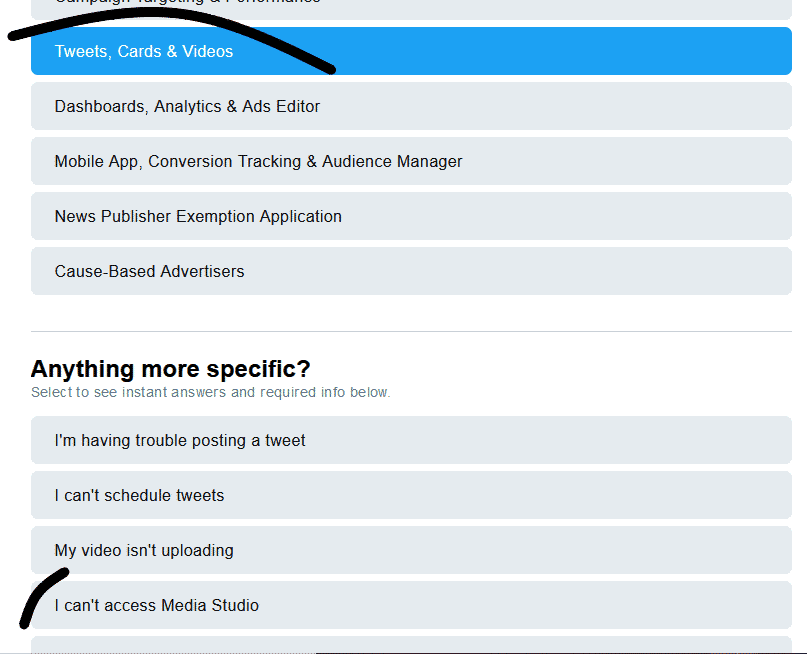
    This is Located right beneath “TWEETS, CARDS, & VIDEOS” click “I CAN’T ACCESS MEDIA STUDIO” After then you can write a short and brief text to describe your issue and hit the “SUBMIT SUPPORT TICKET“. Wait for a while, and you will get a response from Twitter regarding the access to media Studio. (Twitter Video Limit)

    contact support to remove twitter video limit and post long videos
    How to Upload Longer Videos On Twitter in USA: Media Studio

    Method 2: Using Youtube or Vimeo

    Hey!! we all know that YouTube is an Online American video-sharing platform that is owned currently by Google. And also Vimeo is a Video hosting and sharing Platform based in NYC.

    using youtube and vimeo to upload long twitter videos
    Using Platforms to Remove Twitter’s Video Limit on Length

    How to Tweet and Share Longer Videos On Twitter

    This is a backup method if Method 1 on How to Upload Longer Videos On Twitter didn’t work, just follow the instructions and embed a video of more than 140 seconds using the steps below;

    How to Upload Longer Videos On Twitter

    For YouTube:

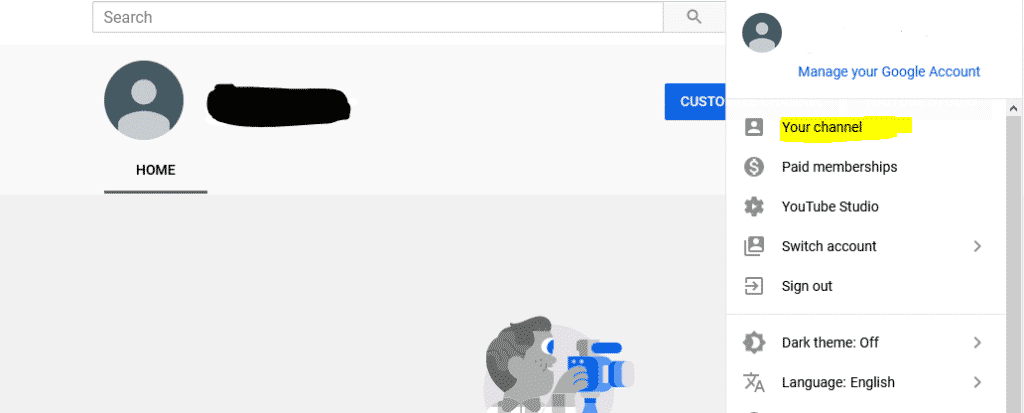
    1. Login to Your YouTube Account
    2. Click on “YOUR CHANNEL” and wait for loading to finish
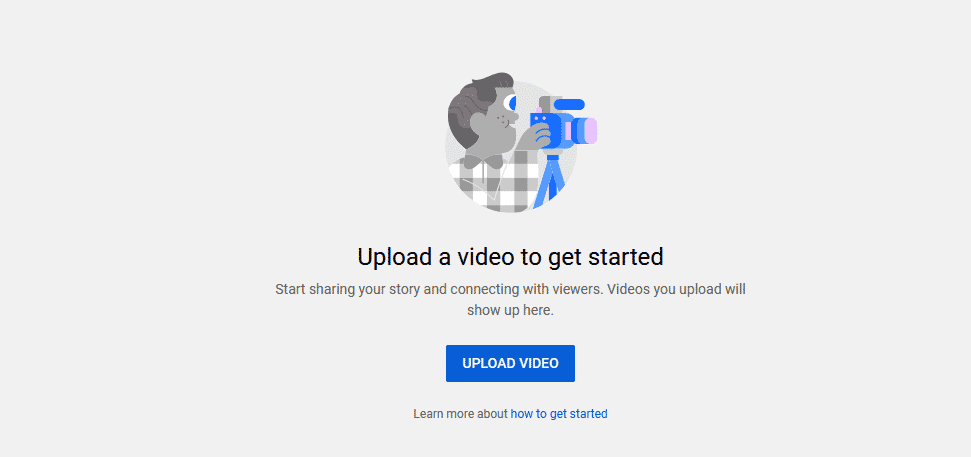
    3. Tap on the “UPLOAD VIDEO” button and upload the video you want to post or embed on twitter.
    4. After successful uploading of video, click on “SHARE” then you copy the link and paste as a tweet on video. (Twitter Video Limit)

    Above is the second method on How to Upload Longer Videos On Twitter

    steps to embed long video on twitter
    Post Long Twitter Videos
    strategy to dodge twitter video limit and post long vids
    How to Upload Longer Videos On Twitter

    After following the due steps, you should get an embedded post or tweet of the video on twitter looking like this below

    How to Upload Longer Videos On Twitter

    For Vimeo:

    • Get Familiar with the Interface
    • Login to your Account
    • Upload or Host the video on Vimeo
    • Finally, Share the Link as a tweet on twitter

    NOTICE

    After sharing the links from YouTube or Vimeo as a tweet on twitter, What twitter does is that it would embed the post on its platform and you can watch a video of over 10 minutes on twitter, breaking twitter’s video limit.

    How to Upload Longer Videos On Twitter in 2021

    Know Twitter Video Limit

    First off, you have to know all what the twitter video limit is all about

    Read Article on Repdex

    After knowing what the twitter video limit is all about, you will check out this article here on repdex.

    Follow METHOD 1

    Reading this article, follow up intensively with out methods given to help you How to Upload Longer Videos On Twitter, use METHOD 1

    Follow METHOD 2

    After following our first method, if you get ZERO to NO results or you weren’t able to Upload Longer Videos On Twitter, then you can follow our METHOD 2

Overlay Ad Example

Overlay Ad Example1

Overlay Ad Example1